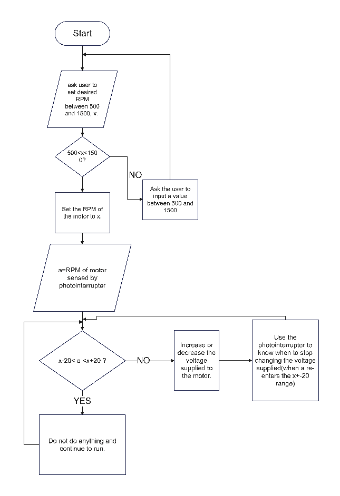
The flowchart initiates by checking if the input value x falls within the range of 500 to 1500. If within the range, it proceeds to illustrate how to calculate the RPM (Revolutions Per Minute) of the motor based on the value of x. If not within the range, it prompts an error message and exits the program. It serves as a useful tool for designers and developers to visualize and communicate the logic of the process.



 Desktop