
Templates Community /
How To Use Mind Map
How To Use Mind Map

PlotWizard
Published on 2026-05-20

 Desktop

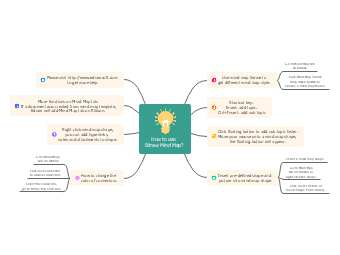
This mind map template for Edraw mind map operation tutorial is designed for beginner‑level software teaching, office software training courseware, study notes for mind map tools, online teaching materials, internal enterprise software operation guidelines and self‑learning of mind map tools, suitable for office workers, students, novice software users, training instructors, new‑media teaching bloggers and mind map enthusiasts. Centered on the theme of “How to use Edraw Mind Map”, the template focuses on 8 core operation directions including theme style switching, shortcut key operations, quick sub‑topic addition, material insertion, official help channels, function expansion, advanced editing and connector beautification. Each branch is broken down into precise and actionable operation steps, fully covering the whole‑process usage methods from basic editing and quick operations to advanced beautification and function expansion, with clear logic and intuitive steps. Matched with a creative light‑bulb icon at the center, it features a concise and neat overall layout with distinct layers for quick learning and reference. You can use EdrawMax to freely add or delete operation steps, adjust branch structures, and optimize color schemes and icons to adapt to different teaching scenarios. It can be used for software teaching courseware production, beginner learning manuals and online tutorial release, effectively helping users master the complete usage methods of mind map tools.
Tag
Mind Map Template
Mind Map Tool Teaching Template
Software Tutorial
Share
Report
0
31

Post
Recommended Templates
Loading
